Skip to content

Generate consistent 2K storyboard exploration drafts for a premium French pharmacy sunscreen commercial

2K Cinematic Skincare Commercial Storyboard Workflow

This process outputs 2K 2.39:1 aspect ratio storyboard exploration drafts that follow strict rules for character consistency, product accuracy, natural unfiltered skin texture, and a muted warm clinical brand color palette.

Asset
2K 2.39:1 anamorphic storyboard panel set
Format
Model default · 2K
Model
Doubao Seedream 5.0 Lite

8 credits per image

Your references, identity direction, and approved creative context stay reusable inside the Project.

Sample generatedGenerated with · Doubao Seedream 5.0 LiteUpdated · Jul 29, 2026
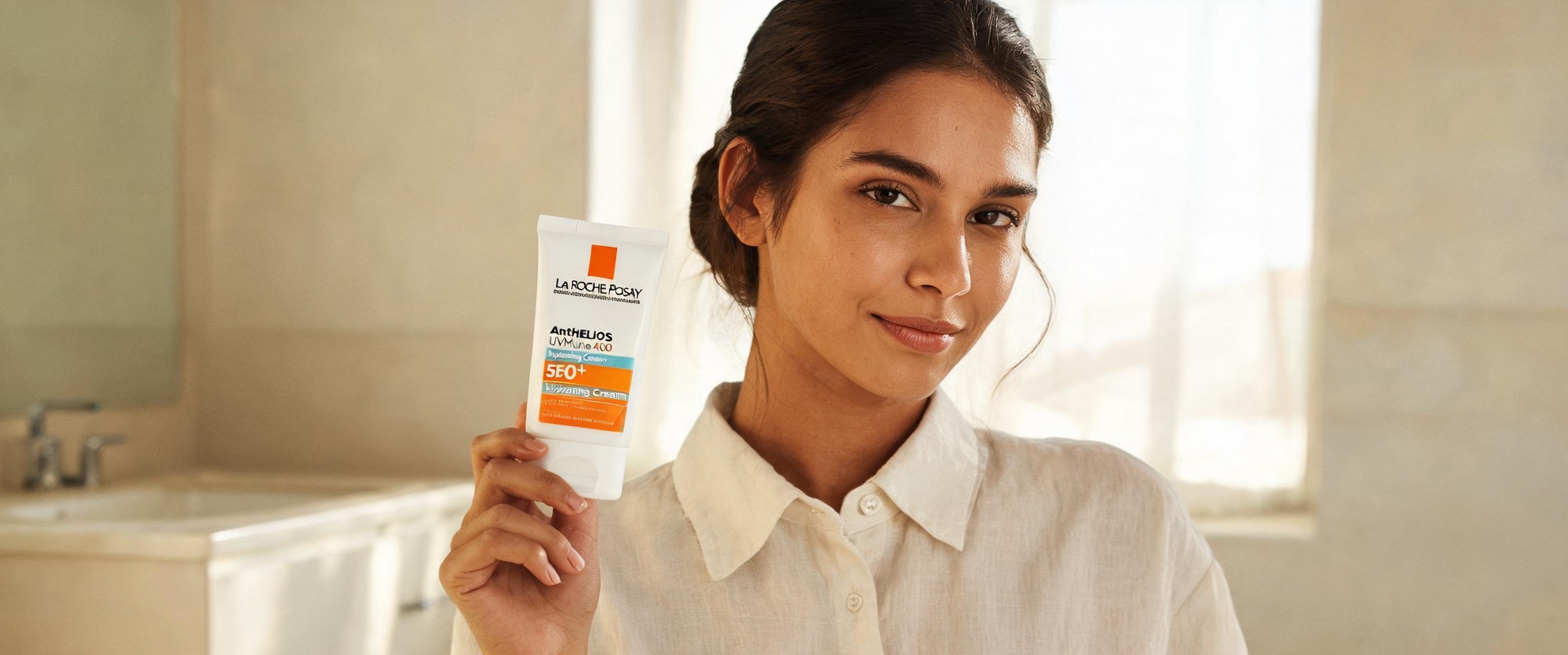
2K Cinematic Skincare Commercial Storyboard Workflow generated example 1
2K · Model default
OUTPUT 01 / 02

REVIEW REQUIRED
Aspect Ratio Compliance · Character Continuity

Generated output

Inspect the result before you put it to work.

Check the main subject, framing, material detail, and channel requirements at full size before handoff.

2K Cinematic Skincare Commercial Storyboard Workflow generated example 1
Generated result · inspect at full size before handoff

What this recipe creates

A repeatable 2k 2.39:1 anamorphic storyboard panel set workflow.

All outputs are pre-production drafts intended for internal creative alignment and stakeholder approval before moving to live-action shooting or final post-production. No outputs are formatted for direct broadcast or public deployment without additional post-processing.

  • Set of 2K 2.39:1 aspect ratio storyboard panels
  • Consistent lead character across all generated frames
  • Accurate product packaging rendering on all product-focused shots
  • Natural unfiltered skin texture on talent close-ups
  • Aligned warm clinical brand color palette across all frames
Drafting skincare commercial storyboard sequencesTesting color palette alignment for pharmacy brand assetsVisualizing tactile product application shots

Required inputs

  1. Approved reference character sheet for the lead talent
  2. Official product reference image of La Roche-Posay Anthelios UVMune 400 SPF50+
  3. Defined shot list for the 6-8 panel storyboard sequence
  4. Explicit color palette guide for the brand identity

How it works

Review the workflow before you create.

4

Use each step as a review gate. If one gate fails, change that input before spending another generation.

01 / STEP

Lock Lead Character Identity Across All Storyboard Panels

Generate the first full talent reference frame using the full approved character description, then feed that output as an image reference for every subsequent shot in the sequence.

Quality check · Confirm face shape, hair style, skin tone, and wardrobe match across all panels, no facial feature drift between close-up and wide shots
02 / STEP

Enforce Accurate Product Packaging Rendering

Overlay the official product reference image as a 15% opacity image guide in your generation tool for every shot that includes the sunscreen tube.

Quality check · Verify all logo colors, text placement, and panel color blocking match the physical product, no distorted text or swapped brand colors
03 / STEP

Eliminate Overprocessed Unnatural Skin Texture

Add explicit negative prompts for glossy skin, waxy texture, and porcelain smoothing to every generation request, and set texture detail weight to 0.85.

Quality check · Confirm visible pores, subtle under-eye lines, and natural skin tone variation are present on all talent close-ups, no fake airbrushed glow
04 / STEP

Align All Frames to the Approved Brand Color Palette

Input the 6 defined palette hex codes as a color reference lock in your generation tool before running the full sequence.

Quality check · No oversaturated colors, no random neon accents, all frames stay within the specified palette range

Recommended model and tested settings

Tested setup and quality gates.

Model
Doubao Seedream 5.0 Lite · doubao-seedream-5-0-lite-260128
Style
This model reliably outputs 2K 2.39:1 frames when aspect ratio is explicitly set, and handles texture detail well for skin and product packaging. It is prone to minor character identity drift across multi-panel sequences if no reference image is used.
Resolution
2K
Guidance
This workflow does not require third-party LORA assets, all inputs are reference images and text prompt rules.
Tested
Jul 29, 2026

Quality checklist

Aspect Ratio ComplianceAll panels render at 2K resolution with 2.39:1 anamorphic aspect ratio, no stretched or cropped framing outside the specified cinematic format
Character ContinuityLead talent matches the approved character sheet across all shots, no changes to facial features, hair, skin tone, or wardrobe between panels
Product AccuracyAll visible product packaging matches the official La Roche-Posay Anthelios UVMune 400 design, no distorted text or incorrect color blocking
Natural Skin RealismNo overprocessed waxy or glossy skin, all close-ups show realistic micro texture including pores, peach fuzz, and subtle fine lines
Palette AlignmentAll frames stay within the defined 6-color brand palette, no unapproved saturated or clashing accent colors

Common failure modes

Know what to correct before the next run.

FAILURE / 01

Lead talent face changes drastically between consecutive storyboard panels

Re-generate the full sequence using the first approved character frame as a locked image reference for every shot

FAILURE / 02

Product packaging text is misspelled or logo colors are swapped

Increase the opacity of the official product reference overlay to 30% for that specific panel, and remove all extra decorative elements near the product

FAILURE / 03

Talent skin looks waxy, airbrushed, and over-glamorous

Add explicit negative terms for glossy skin, porcelain smoothing, and beauty filters, then reduce the overall generation detail smoothing weight by 0.2

FAILURE / 04

Frames include random lens flares that break the requested cinematic look

Add explicit negative prompt for lens flares, light leaks, and anamorphic light artifacts, then re-run the generation

FAQ

Production notes.

No, all outputs are pre-production exploration drafts. They are intended for internal creative alignment and stakeholder approval before you move to live-action shooting or final post-production.

Use the first generated character frame as a fixed image reference for every subsequent shot, and do not adjust any character description parameters between generation runs.

Regenerate that specific panel with the product reference image set to 30% opacity, and remove extra decorative elements around the product tube that can interfere with text rendering.

No, this workflow is optimized for static 2K storyboard panels. For video, you will need to export the approved panels as reference inputs for a separate video generation tool.