Skip to content

Generate cohesive 2K realistic fashion portrait sets focused on hosiery and lightweight apparel in quiet residential interiors for editorial pre-visualization

2K Hosiery Focused Residential Interior Fashion Portrait Workflow

This workflow produces 2K vertical realistic portrait sets of adult East Asian models in quiet bedroom or vacation rental spaces, with intentional focus on soft natural light, lightweight apparel and hosiery texture, and natural expressive posing. All generated outputs are exploration drafts, not final production photography assets.

Asset
2K vertical realistic fashion portrait image set
Format
Model default · 2K
Model
Doubao Seedream 5.0 Lite

8 credits per image

Your references, identity direction, and approved creative context stay reusable inside the Project.

Sample generatedGenerated with · Doubao Seedream 5.0 LiteUpdated · Jul 29, 2026
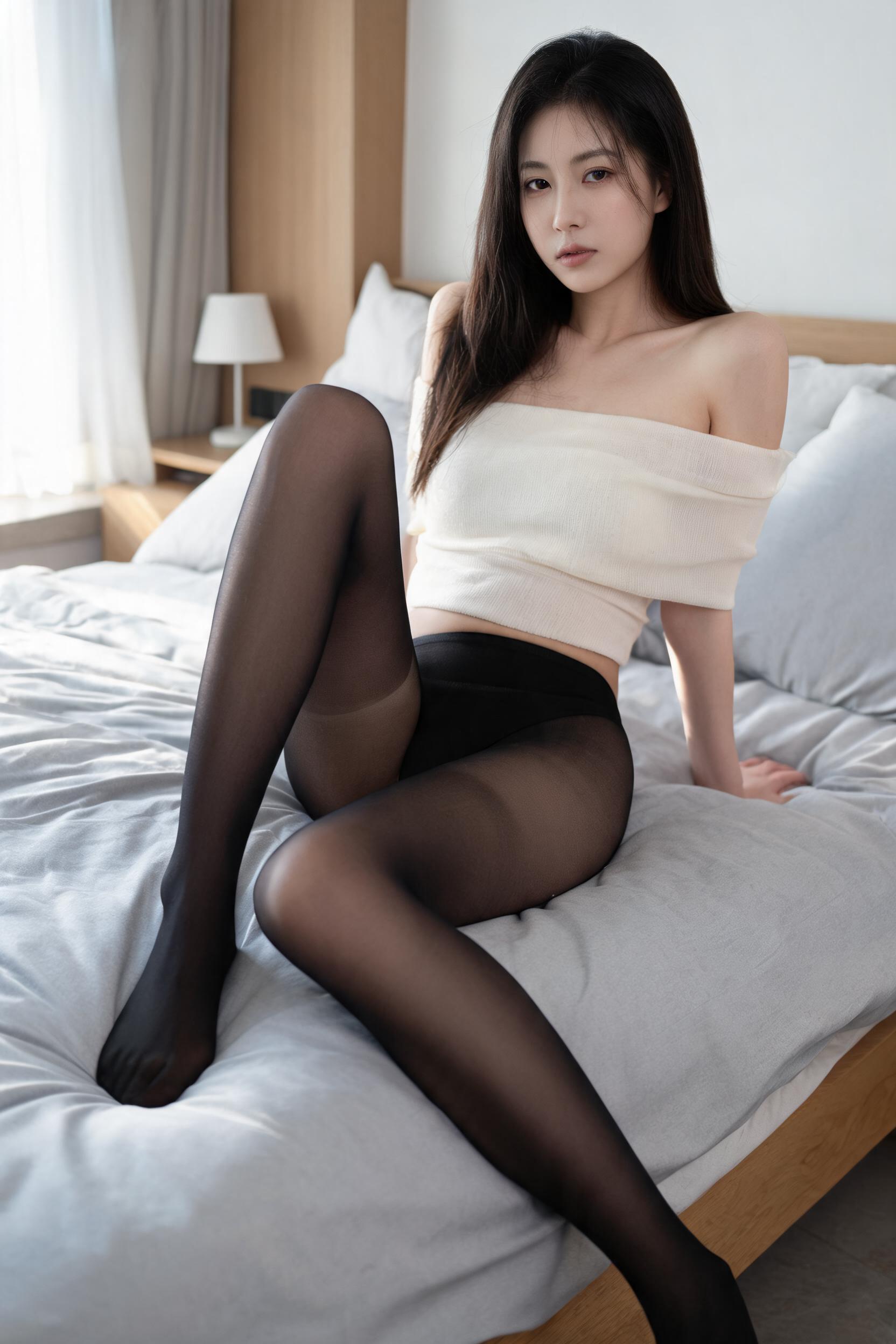
2K Hosiery Focused Residential Interior Fashion Portrait Workflow generated example 1
2K · Model default
OUTPUT 01 / 02

REVIEW REQUIRED
Consistent 2K resolution · Unobtrusive background

Generated output

Inspect the result before you put it to work.

Check the main subject, framing, material detail, and channel requirements at full size before handoff.

2K Hosiery Focused Residential Interior Fashion Portrait Workflow generated example 1
Generated result · inspect at full size before handoff

What this recipe creates

A repeatable 2k vertical realistic fashion portrait image set workflow.

This structured generation process creates a unified series of fashion portraits with varied poses, angles, apparel combinations, and subtle mood shifts across the set, no embedded text, logos or watermarks included by default. All outputs are pre-visualization exploration drafts that require minor post-processing for commercial editorial use.

  • 2K resolution vertical portrait images
  • Cohesive set of 4-8 varied portrait frames
  • Soft natural light rendering on fabric and skin
  • Unobtrusive non-distracting residential background elements
Editorial fashion shoot concept testingHosiery apparel product lookbook pre-visualizationFashion magazine mood board asset creation

Required inputs

  1. Base scene reference (bedroom or vacation rental interior)
  2. Apparel and hosiery style reference notes
  3. Preferred lighting direction (side, back, front window light)
  4. Mood direction for subject expression

How it works

Review the workflow before you create.

4

Use each step as a review gate. If one gate fails, change that input before spending another generation.

01 / STEP

Set base scene and framing parameters for consistent vertical output

Start by defining your base interior as a realistically furnished bedroom or quiet vacation rental space, lock aspect ratio to 9:16 to enforce vertical framing, and exclude all cluttered decorative objects from the scene description to keep backgrounds unobtrusive.

Quality check · All generated frames are vertical, no distorted horizontal cropping, and background elements do not pull focus from the subject.
02 / STEP

Configure lighting to highlight fabric and hosiery texture

Specify soft diffused window light coming from a single side or rear direction, no harsh direct flash, and set light falloff to create gentle gradient shadows across the subject's form.

Quality check · Visible subtle texture on hosiery and sheer apparel, soft highlight on shoulder and leg contours, no blown out overexposed skin areas.
03 / STEP

Adjust subject posing to emphasize core silhouette lines

Define 1 unique pose per frame that highlights a different core feature: shoulder-neck line, waist curve, leg proportion, or full body silhouette, and specify subtle, restrained facial expression with clear eye focus.

Quality check · No repeated identical poses across the set, all subjects have natural non-exaggerated facial expressions, no distorted limb positioning.
04 / STEP

Filter out unwanted artifacts across the full image set

Run a batch check of all generated frames to remove any outputs with embedded text, watermarks, distorted anatomy, over-saturated colors, or overly explicit framing that violates content guidelines.

Quality check · Zero frames contain visible logos, text, or anatomical errors, no outputs lean into overly sexualized framing.

Recommended model and tested settings

Tested setup and quality gates.

Model
Doubao Seedream 5.0 Lite · doubao-seedream-5-0-lite-260128
Style
This workflow is tested to produce 2K vertical outputs as specified. Do not enable high detail upscale modes beyond 2K as this may introduce unwanted rendering artifacts.
Resolution
2K
Guidance
This workflow is optimized for the listed model version, performance may vary if used with other untested image generation models.
Tested
Jul 29, 2026

Quality checklist

Consistent 2K resolutionAll output frames render at full 2K resolution with no upscaling artifacts, no blurry or cropped edges.
Unobtrusive backgroundAll interior background elements are softly out of focus and do not compete for visual attention with the subject and apparel.
Natural fabric textureHosiery and lightweight sheer apparel show realistic subtle surface texture and light transmission, no flat plastic-looking material rendering.
No unwanted artifactsNo embedded text, logos, watermarks, distorted limbs, or over-exaggerated explicit posing appear in any generated frame.
Cohesive mood across setAll frames share the same quiet, restrained editorial atmosphere, with consistent color temperature and lighting style across the full portrait series.

Common failure modes

Know what to correct before the next run.

FAILURE / 01

Multiple frames show identical poses and subject positioning

Split generation into individual single-frame requests, each with a distinct pose direction to eliminate duplication.

FAILURE / 02

Hosiery texture appears flat and lacks detail

Switch lighting direction to soft side window light to create subtle shadows that reveal hosiery surface texture.

FAILURE / 03

Subject anatomy shows distorted hands or blurry lower legs

Add a note to prioritize sharp rendering of legs and hands in your generation parameters, and discard any frames with visible anatomical errors.

FAILURE / 04

Background elements are overly busy and pull focus from the subject

Remove all non-essential decorative items from your scene description, and specify a shallow depth of field to blur background elements further.

FAQ

Production notes.

No, all outputs are pre-visualization exploration drafts. You will need to run minor post-processing color correction and artifact removal before using them for final editorial distribution.

Add a unique specific pose description for each individual generation request, rather than generating all 8 frames in a single batch. This reduces the chance of pose duplication across outputs.

Adjust your lighting prompt to add a subtle specular highlight note for sheer fabric, and reduce overall image sharpness by 10% to create a softer, more realistic fabric surface rendering.

You must first verify the underlying model provider's commercial usage terms and asset rights for your specific use case, as rights vary by region and platform terms of service.